What it does
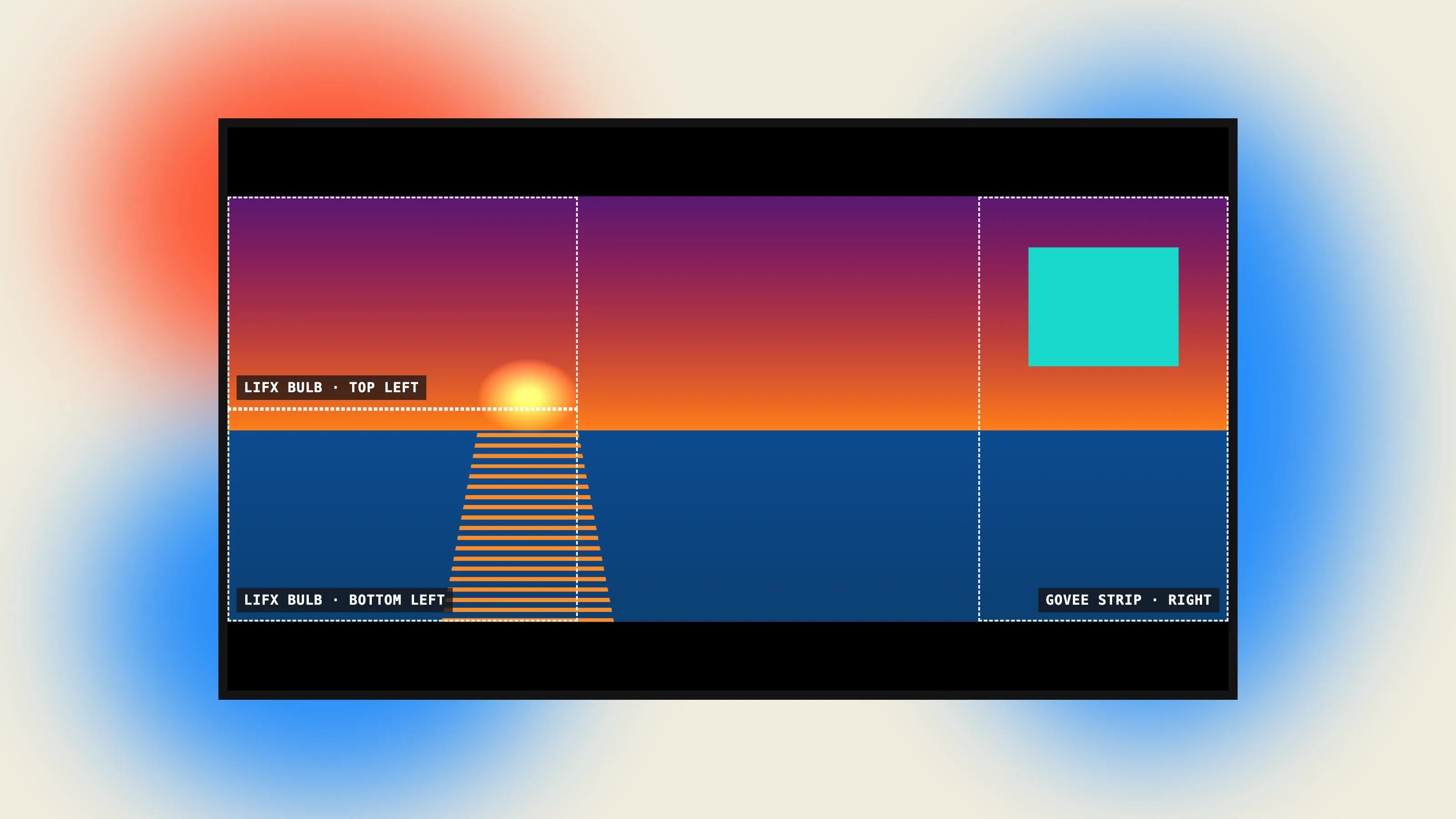
Mirror the Mac to the TV over AirPlay or HDMI, then run ambilight.py run. Three lights follow three parts of the picture:
- A LIFX bulb follows the top-left of the screen.
- A second LIFX bulb follows the bottom-left.
- A Govee LED strip follows the right side.
discover finds the lights on the network, and setup flashes each bulb red in turn and asks which one is which. Ctrl-C stops it and restores every light’s original state.
How it works
Every frame, about 12 times a second:
- Capture the main display with
mss(about 20 ms per grab), then shrink it to roughly 190 pixels wide. That’s plenty for picking colors and keeps the math cheap. - Crop black bars, so letterboxed movies don’t push the regions off the actual picture.
- Pick each region’s dominant color (more below).
- Smooth it with an exponential moving average so the lights don’t flicker, unless the color jumps by a lot. Then it’s a scene cut, and the light snaps most of the way at once.
- Send it straight to the lights over UDP: a hand-built binary packet for LIFX, with a fade time so the bulb blends between frames itself, and a small JSON message for Govee.
I talk to the lights directly over the local network instead of through either brand’s cloud API. That means no accounts, no internet dependency, and much lower latency. The LIFX client is about 100 lines of struct packing written against the published LAN protocol, rather than a library.
I chose to capture the Mac’s screen instead of buying an HDMI capture card. The trade-off: the menu bar and Dock count as part of the picture.
Picking the right color
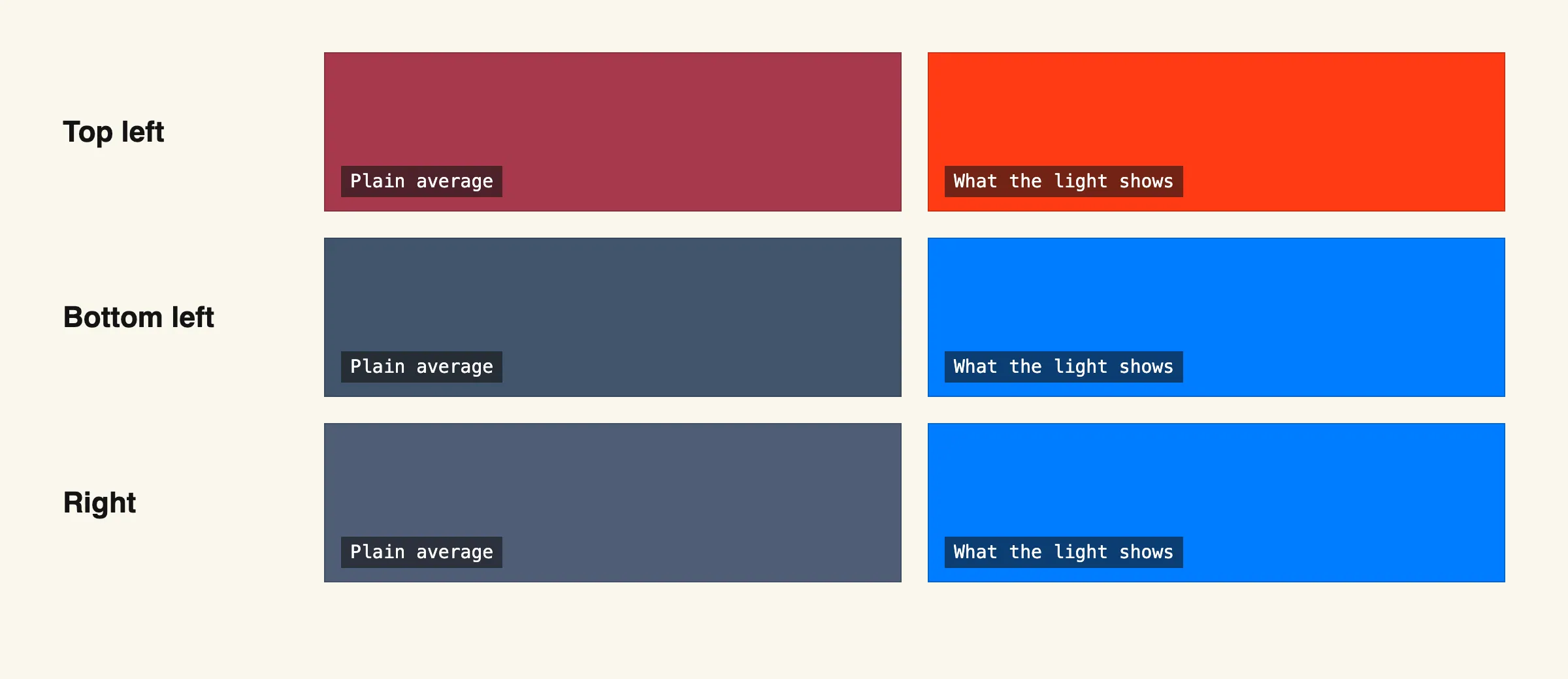
Averaging a region’s pixels gives mud: a red scene with some blue in it averages to purple. So the tool picks the majority color instead. It sorts colorful pixels into 24 hue buckets, weighted by how saturated and bright they are, merges neighboring buckets, and takes the winner. Mostly grey regions fall back to white, which LIFX shows as a proper color temperature instead of a washed-out tint.
What broke
A smaller one: without macOS’s Screen Recording permission, captured frames come back black and the lights sit at their minimum brightness. The README calls this out. There’s also a brightness floor so the lights never go fully dark on black frames.
What I’d do next
I haven’t measured end-to-end latency (screen to light) yet, and that’s the number that matters most for how it feels. I’d also like more regions, and to drive the LED strip’s individual segments instead of one color.